







-
 Agriculture
-
 Health-Care
-
 Environment
-
 Construction-Real-Estate
-
 Tools-Hardware
-
 Home-Garden
-
 Furniture
-
 Luggage-Bags-Cases
-
 Medical-devices-Supplies
-
 Gifts-Crafts
-
 Sports-Entertainment
-
 Food-Beverage
-
 Vehicles-Transportation
-
 Power-Transmission
-
 Material-Handling
-
 Renewable-Energy
-
 Safety
-
 Testing-Instrument-Equipment
-
 Construction-Building-Machinery
-
 Pet-Supplies
-
 Personal-Care-Household-Cleaning
-
 Vehicle-Accessories-Electronics-Tools
-
 School-Office-Supplies
-
 Packaging-Printing
-
 Mother-Kids-Toys
-
 Business-Services
-
 Commercial-Equipment-Machinery
-
 Apparel-Accessories
-
 Security
-
 Shoes-Accessories
-
 Vehicle-Parts-Accessories
-
 Jewelry-Eyewear-Watches-Accessories
-
 Lights-Lighting
-
 Fabric-Textile-Raw-Material
-
 Fabrication-Services
-
 Industrial-Machinery
-
 Consumer-Electronics
-
 Electrical-Equipment-Supplies
-
 Electronic-Components-Accessories-Telecommunications
-
 Home-Appliances
-
 Beauty
-
 Chemicals
-
 Rubber-Plastics
-
 Metals-Alloys









































































































































































































































































































































- Masonry Materials
- Curtain Walls & Accessories
- Earthwork Products
- Fireproofing Materials
- Heat Insulation Materials
- Plastic Building Materials
- Building Boards
- Soundproofing Materials
- Timber
- Waterproofing Materials
- Balustrades & Handrails
- Bathroom & Kitchen
- Flooring & Accessories
- Tiles & Accessories
- Door, Window & Accessories
- Fireplaces & Stoves
- Floor Heating Systems & Parts
- Stairs & Stair Parts
- Ceilings
- Elevators & Escalators
- Stone
- Countertops, Vanity Tops & Table Tops
- Mosaics
- Metal Building Materials
- Multifunctional Materials
- Ladders & Scaffoldings
- Mouldings
- Corner Guards
- Decorative Films
- Formwork
- Building & Industrial Glass
- Other Construction & Real Estate
- Wallpapers/Wall panels
- HVAC System & Parts
- Outdoor Facilities
- Prefabricated Buildings
- Festive & Party Supplies
- Bathroom Products
- Household Sundries
- Rain Gear
- Garden Supplies
- Household Cleaning Tools & Accessories
- Lighters & Smoking Accessories
- Home Storage & Organization
- Household Scales
- Smart Home Improvement
- Home Textiles
- Kitchenware
- Drinkware & Accessories
- Dinnerware, Coffee & Wine
- Home Decor
- Golf
- Fitness & Body Building
- Amusement Park Facilities
- Billiards, Board Game,Coin Operated Games
- Musical Instruments
- Outdoor Affordable Luxury Sports
- Camping & Hiking
- Fishing
- Sports Safety&Rehabilitation
- Ball Sports Equipments
- Water Sports
- Winter Sports
- Luxury Travel Equipments
- Sports Shoes, Bags & Accessories
- Cycling
- Other Sports & Entertainment Products
- Artificial Grass&Sports Flooring&Sports Court Equipment
- Scooters
- Food Ingredients
- Honey & Honey Products
- Snacks
- Nuts & Kernels
- Seafood
- Plant & Animal Oil
- Beverages
- Fruit & Vegetable Products
- Frog & Escargot
- Bean Products
- Egg Products
- Dairy Products
- Seasonings & Condiments
- Canned Food
- Instant Food
- Baked Goods
- Other Food & Beverage
- Meat & Poultry
- Confectionery
- Grain Products
- Feminie Care
- Hair Care & Styling
- Body Care
- Hands & Feet Care
- Hygiene Products
- Men's Grooming
- Laundry Cleaning Supplies
- Travel Size & Gift Sets
- Room Deodorizers
- Other Personal Care Products
- Pest Control Products
- Special Household Cleaning
- Floor Cleaning
- Kitchen & Bathroom Cleaning
- Oral Care
- Bath Supplies
- Yellow Pages
- Correction Supplies
- Office Binding Supplies
- Office Cutting Supplies
- Board Erasers
- Office Adhesives & Tapes
- Education Supplies
- Pencil Cases & Bags
- Notebooks & Writing Pads
- File Folder Accessories
- Calendars
- Writing Accessories
- Commercial Office Supplies
- Pencil Sharpeners
- Pens
- Letter Pad/Paper
- Paper Envelopes
- Desk Organizers
- Pencils
- Markers & Highlighters
- Filing Products
- Art Supplies
- Easels
- Badge Holder & Accessories
- Office Paper
- Printer Supplies
- Book Covers
- Other Office & School Supplies
- Stationery Set
- Boards
- Clipboards
- Stamps
- Drafting Supplies
- Stencils
- Electronic Dictionary
- Books
- Map
- Magazines
- Calculators
- Baby & Toddler Toys
- Educational Toys
- Classic Toys
- Dress Up & Pretend Play
- Toy Vehicle
- Stuffed Animals & Plush Toys
- Outdoor Toys & Structures
- Balloons & Accessories
- Baby Food
- Children's Clothing
- Baby Supplies & Products
- Maternity Clothes
- Kids Shoes
- Baby Care
- Novelty & Gag Toys
- Dolls & Accessories
- Puzzle & Games
- Blocks & Model Building Toys
- Toddler Clothing
- Baby Clothing
- Kids' Luggage & Bags
- Arts, Crafts & DIY Toys
- Action & Toy Figures
- Baby Appliances
- Hobbies & Models
- Remote Control Toys
- Promotional Toys
- Pregnancy & Maternity
- Hygiene Products
- Kid's Textile&Bedding
- Novelty & Special Use
- Toy Weapons
- Baby Gifts
- Baby Storage & Organization
- Auto Drive Systems
- ATV/UTV Parts & Accessories
- Marine Parts & Accessories
- Other Auto Parts
- Trailer Parts & Accessories
- Auto Transmission Systems
- Train Parts & Accessories
- Universal Parts
- Railway Parts & Accessories
- Auto Brake Systems
- Aviation Parts & Accessories
- Truck Parts & Accessories
- Auto Suspension Systems
- Auto Lighting Systems
- New Energy Vehicle Parts & Accessories
- Auto Steering Systems
- Wheels, Tires & Accessories
- Bus Parts & Accessories
- Auto Performance Parts
- Cooling System
- Go-Kart & Kart Racer Parts & Accessories
- Air Conditioning Systems
- Heavy Duty Vehicle Parts & Accessories
- Auto Electrical Systems
- Auto Body Systems
- Auto Engine Systems
- Container Parts & Accessories
- Motorcycle Parts & Accessories
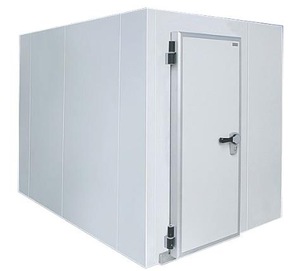
- Refrigeration & Heat Exchange Equipment
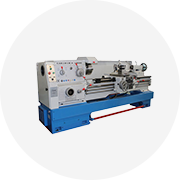
- Machine Tool Equipment
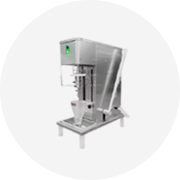
- Food & Beverage Machinery
- Agricultural Machinery & Equipment
- Apparel & Textile Machinery
- Chemical Machinery
- Packaging Machines
- Paper Production Machinery
- Plastic & Rubber Processing Machinery
- Industrial Robots
- Electronic Products Machinery
- Metal & Metallurgy Machinery
- Woodworking Machinery
- Home Product Manufacturing Machinery
- Machinery Accessories
- Environmental Machinery
- Machinery Service
- Electrical Equipment Manufacturing Machinery
- Industrial Compressors & Parts
- Tobacco & Cigarette Machinery
- Production Line
- Used Industrial Machinery
- Electronics Production Machinery
- Other Machinery & Industrial Equipment
- Camera, Photo & Accessories
- Portable Audio, Video & Accessories
- Television, Home Audio, Video & Accessories
- Video Games & Accessories
- Mobile Phone & Accessories
- Electronic Publications
- Earphone & Headphone & Accessories
- Speakers & Accessories
- Smart Electronics
- TV Receivers & Accessories
- Mobile Phone & Computer Repair Parts
- Chargers, Batteries & Power Supplies
- Used Electronics
- VR, AR, MR Hardware & Software
- Projectors & Presentation Equipments
- Other Consumer Electronics
- Cables & Commonly Used Accessories
- Computer Hardware & Software
- Displays, Signage and Optoelectronics
- Discrete Semiconductors
- Wireless & IoT Module and Products
- Telecommunications
- Connectors, Terminals & Accessories
- Development Boards, Electronic Modules and Kits
- Circuit Protection
- Sensors
- Isolators
- Audio Components and Products
- Integrated Circuits
- Power Supplies
- Relays
- RF, Microwave and RFID
- Electronic Accessories & Supplies
- Passive Components
- PCB & PCBA
- Air Quality Appliances
- Home Appliance Parts
- Heating & Cooling Appliances
- Small Kitchen Appliances
- Laundry Appliances
- Water Heaters
- Water Treatment Appliances
- Refrigerators & Freezers
- Personal Care & Beauty Appliances
- Major Kitchen Appliances
- Cleaning Appliances
- Second-hand Appliances
- Smart Home Appliances
- Other Home Appliances
- Energy Chemicals
- Inorganic Chemicals
- Basic Organic Chemicals
- Agrochemicals
- Admixture & Additives
- Catalysts & Chemical Auxiliary Agents
- Pigments & Dyestuff
- Coating & Paint
- Daily Chemicals
- Polymer
- Organic Intermediate
- Adhesives & Sealants
- Chemical Waste
- Biological Chemical Products
- Surface Treatment Chemicals
- Painting & Coating
- Chemical Reagents
- Flavor & Fragrance
- Non-Explosive Demolition Agents
- Other Chemicals
- Custom Chemical Services

How to Monitor Defect Trends After Launching a Computer Accessory
After a new computer accessory reaches customers, a consistent record of reported problems can reveal whether an issue is isolated or recurring. For each confirmed defect, log the product model, production batch, affected function, date reported, and resolution. Review these records regularly, comparing reports across batches and customer-reported use conditions.
Build a Consistent Defect Log
Begin by identifying the product and its configuration, then use the same fields for every case. For a USB-C hub adapter, classify reports by function rather than recording them all as general adapter failures. Its listed connections include USB 3.0, USB 2.0, PD100W, HDMI-4K/30HZ, SD, and TF.
Document the customer's description of the symptom separately from the investigation result. A display-output complaint, for example, should not be grouped with a card-reader report. Add device, operating system, or usage details only when the customer provides them. Keep unverified reports distinct from confirmed defects, and note whether the case resulted in a replacement, technical support, or no fault being confirmed.
Review Reports for Recurring Patterns
Check the log on a regular schedule and compare issue counts by product, function, and production batch. When internal sales or shipment totals are available, use them to put the number of reports in context. The supplied product information does not include unit-volume or defect-rate data, so it cannot support a specific numerical action threshold.
Repeated reports may warrant further investigation, especially when they point to the same function, batch, or customer-reported setup. Record the investigation, any corrective action, and later findings so you can assess whether the response was followed by fewer similar complaints.
Tracking Methods at a Glance
| Approach | Information to capture | Purpose |
|---|---|---|
| Function-based classification | Reported symptom involving USB, PD, HDMI, SD, or TF | Spot recurring concerns tied to a specific hub function |
| Batch comparison | Model, batch identifier, report date, and case outcome | Check whether complaints are concentrated in a production batch |
| Use-context review | Customer-reported device, operating system, or scenario | Identify reports that share a stated configuration or use context |
| Resolution follow-up | Investigation results, support or replacement, and subsequent reports | Evaluate outcomes after action is taken |
Product and Quality Context
FABIT describes its business as including OEM/ODM manufacturing and processing, and states that products receive 100% inspection before shipment. It also lists replacement or technical support for quality issues. A reported 100,000-piece customized data-cable project for a consumer electronics brand in Argentina included customer feedback on quality, branding, packaging, communication, production, and delivery. That project involved data cables, however, and does not establish a defect record for the HUB ADAPTER.
FABIT lists CE and RoHS certifications for phone and computer accessories applicable to the EU/EEA. These credentials provide product-category information, but they are not a substitute for monitoring post-sale reports for a particular model or batch. The company lists applications for its USB cable solutions including laptop, tablet, home, and office use; its hub product data names compatibility with MOS, Windows, and Android systems. Record a customer's actual use context when it is available rather than assuming a cause.
Frequently Asked Questions
How should I categorize USB-C hub adapter complaints?
Use the adapter's listed functions as categories: USB 3.0, USB 2.0, PD100W, HDMI, SD, and TF. Write down the symptom as the customer describes it, without guessing at the underlying cause.
When do separate complaints become a trend?
Look for repeated reports sharing a product, batch, function, or customer-reported configuration. Review them over time and compare them with shipment or sales volume when those figures are available.
What information should I keep after investigating a recurring issue?
Record the investigation findings, action taken, and any later reports. FABIT lists replacement and technical support for quality issues; the response should reflect the confirmed defect and individual case.
Recommendations
Maintain a product-specific log and review reports by function, batch, and reported use context. For the HUB ADAPTER, track USB, PD, HDMI, SD, and TF issues separately, and preserve investigation and resolution details to assess recurring problems and follow-up results. FABIT states that shipments receive 100% inspection and lists replacement or technical assistance for quality issues. For support, contact FABIT at xixi@dgfabit.com.
About Us
Dongguan Fabit Technology Co.,Ltd develops and manufactures consumer electronics accessories, including charging and audio cables, adapters, card readers, docking stations, wireless chargers, and high-frequency cables. Established in 2014, FABIT reports a team of 300–400 employees and an R&D team of 10 engineers working on USB 2.0, USB 3.0, and consumer electronics accessories. Its listed credentials include CE and RoHS certifications for phone and computer accessories applicable to the EU/EEA, and it has reported serving a consumer electronics brand with a customized data-cable project.

REPORT